What metadata is in a photo
Photos carry text-like data alongside the pixels. The main kinds are:
- EXIF: camera and capture details. The Exif standard is published by CIPA, and ExifTool maintains a readable table of its EXIF tags such as orientation and dates.
- GPS: a sub-section of EXIF. ExifTool’s GPS tag list shows fields like latitude, longitude and their reference (north/south, east/west).
- XMP: an extensible block that apps use for ratings, edit history and more.
- ICC colour profile: not personal, but needed to show colours correctly.
A HEIC is a HEIF container, so these blocks sit alongside the image data as items. That is why they can often be changed without touching the compressed picture.
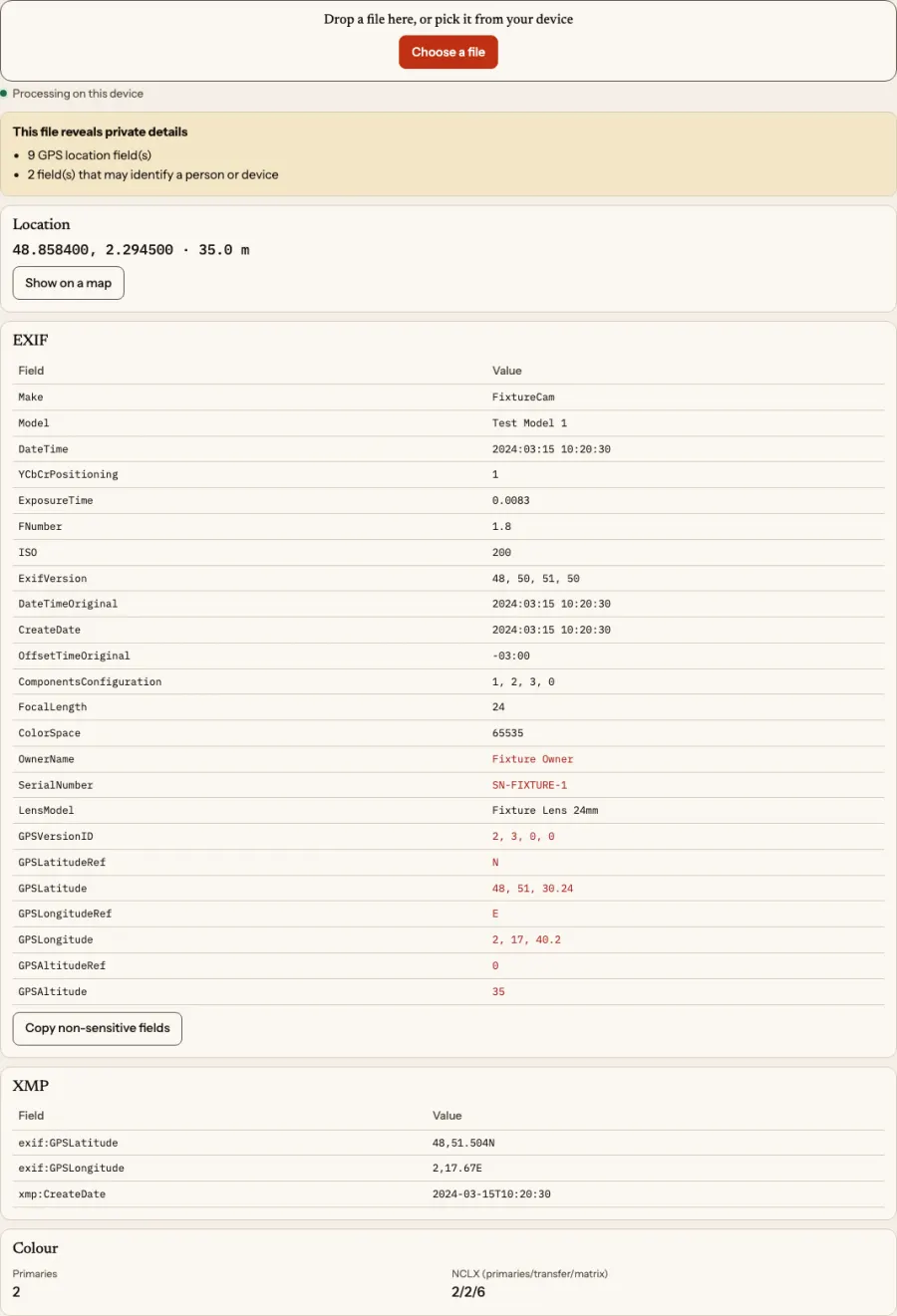
Why GPS is the one to watch
Whether a photo has GPS depends on whether location access was allowed for the camera at capture time, so some photos have it and some do not. Check, do not assume. The coordinates can reveal a home address or routine if the photo is posted publicly. Other fields can identify you too: camera serial numbers and owner names are common examples.
Be careful about what you promise yourself. Some platforms strip location when you upload; some do not. Platforms change this without notice, so remove it yourself when privacy matters.
Look before you share
Two read-only tools show what a file has, entirely in your browser:
- The HEIC metadata viewer lists EXIF, GPS, XMP, an ICC summary, dates and container information. Its copy button copies only non-sensitive fields, leaving out GPS, serial numbers and owner names. A map link is opened only after you press a button, and it goes to OpenStreetMap, an external site. Coordinates are not sent automatically.
- The EXIF and GPS viewer focuses on camera, lens, exposure, aperture, ISO, date and coordinates, with alerts for GPS, serial numbers and owner name.
Remove it without re-encoding
Two tools edit the file’s bytes instead of recompressing the image:
- Remove HEIC GPS blanks the GPS section in EXIF and GPS properties in XMP. File size stays the same, and it shows before and after counts of GPS fields and an identical pixel hash.
- Remove HEIC metadata offers four modes: remove everything (EXIF and XMP), keep date and camera, remove only sensitive fields (GPS, serial numbers, owner), or choose fields manually. Compressed image data is untouched, removal is verified by re-parsing, and decoded pixels are hashed before and after. The ICC profile is kept because colours depend on it.
Because pixels are not re-encoded, there is no quality loss. This is different from converting to JPG, which is lossy.
Converting: what happens to metadata
When you convert, metadata is off by default for GPS. In FromHEIC’s converters, “Keep date, camera and settings” writes those EXIF fields into JPG, PNG, WebP, AVIF and TIFF outputs, and GPS needs its own explicit checkbox. If you convert to publish, leave that box clear.
Changing a date
Sometimes a camera’s clock was wrong, or you are merging photos from several devices. Edit HEIC date can set DateTimeOriginal, CreateDate and ModifyDate, adjust the time zone, or shift many photos by a number of days, hours, minutes and seconds. It shows which fields change before it writes. If the file has no EXIF date field, the tool says so instead of inventing one. Only edit dates to correct a real mistake; do not use it to misrepresent when something happened.
A reasonable routine
- Inspect the photo with the metadata viewer.
- If it will be public, remove GPS at least. Remove sensitive fields if it contains serial numbers or an owner name.
- If you must convert too, remove the metadata first, then convert, then check the JPG again with the image metadata viewer.
- Keep an untouched original in your library.
Limits
Metadata removal covers the standard blocks the tool reads. Do not treat it as a guarantee that nothing identifying remains: an image can still show a street sign, a face or a screen. Apple’s HEIF and HEVC page does not discuss metadata, and the libheif project, which FromHEIC uses for decoding, is a codec library rather than a privacy tool. See image file safety for a wider view.